
B2B2C Crosswalk Append
A successful marketing campaign is dependent upon knowing who to target and delivering a message that resonates with your audience. Versium REACH B2B2C Crosswalk Append bridges business and consumer data: starting from a business contact, it resolves the person's identity and appends their consumer contact data — consumer email addresses, mobile phone numbers, and postal address — along with their business email address.
What's in a B2B2C Crosswalk Append?
B2B2C Crosswalk Append will allow you to select the following types of data to be added to your records:
- Business Email address
- Mobile Phone (up to 2 numbers per record)
- Consumer Email (up to 2 addresses per record)
- Consumer Address (Address, City, State, Zip Code, Country)
An Identity Crosswalk, which links business person identity to their consumer identity, is required to return Mobile Phone, Consumer Email, or Consumer Address.
Get Your Input List Ready
B2B2C Crosswalk Append allows you to append business and consumer contact data starting from a business person.
For Versium REACH to search and find the correct record, your input list needs to include any of the following combinations of inputs:
- LinkedIn URL
- First Name, Last Name, City, and State
B2B2C Crosswalk Append currently supports US records only.
For more information, see Prepare Your Consumer Lists for Import.
For an input list template, see Consumer Input List Template.
Create a B2B2C Crosswalk Append
- From Home, select B2B2C Append.

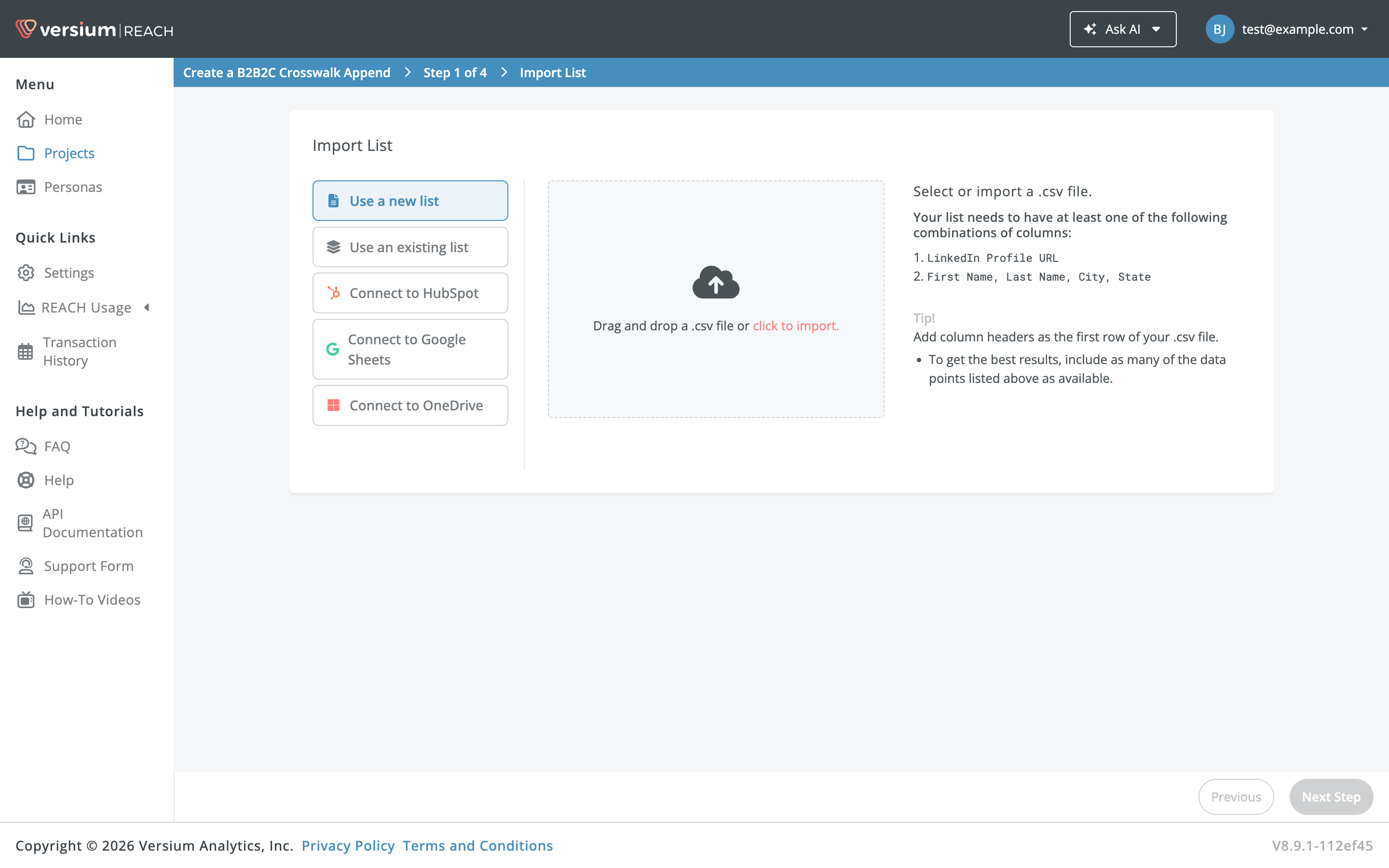
- On the Import List step, select a .csv file to upload, click Use an existing list to select a list from a project, or click Import from HubSpot and choose a list (if you've connected your HubSpot account) and click Next Step.
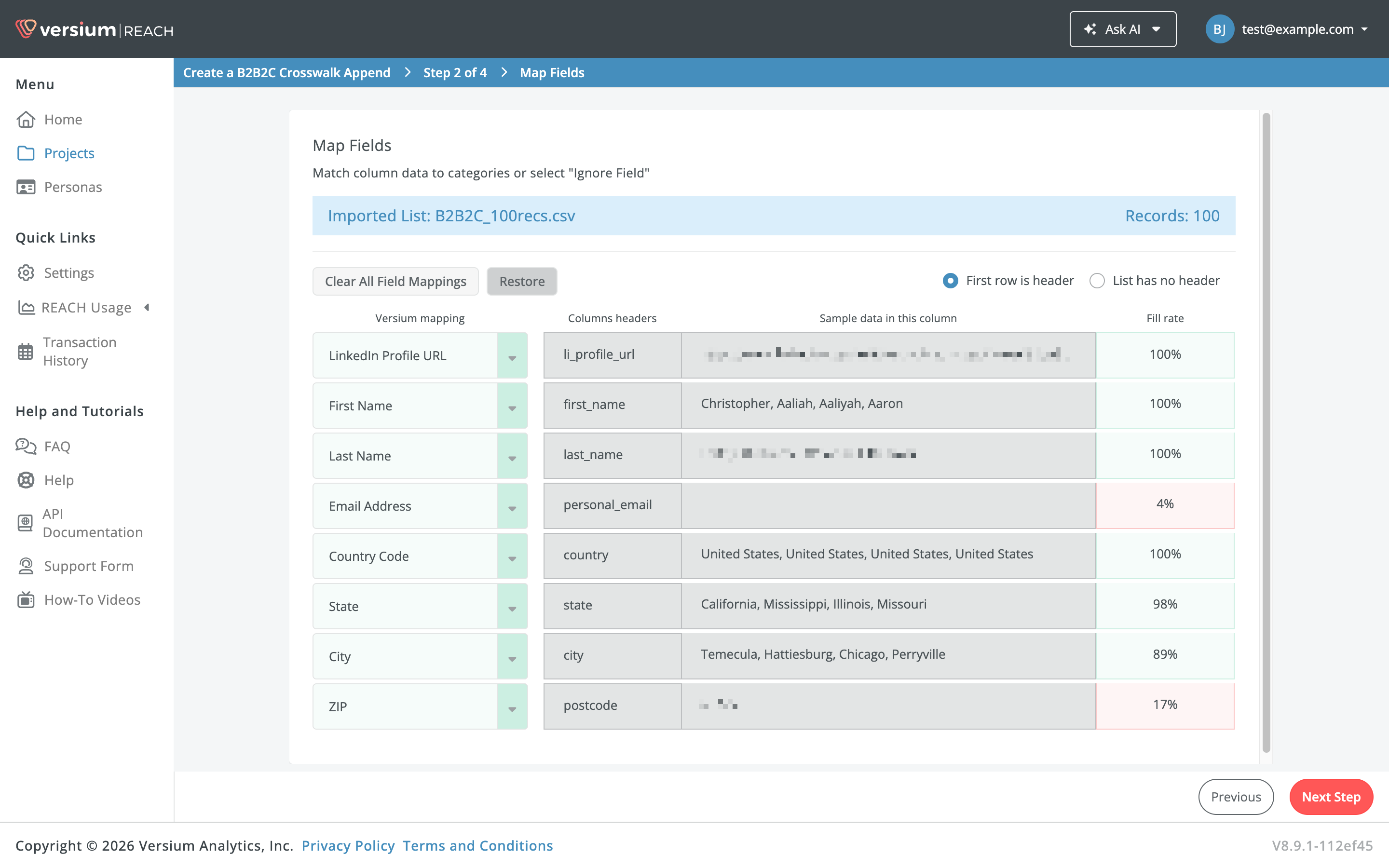
- If prompted, Map the inputs in your list to Versium REACH inputs. Select the down arrow to map your list columns to the appropriate Versium input. When you're done, click Next Step.
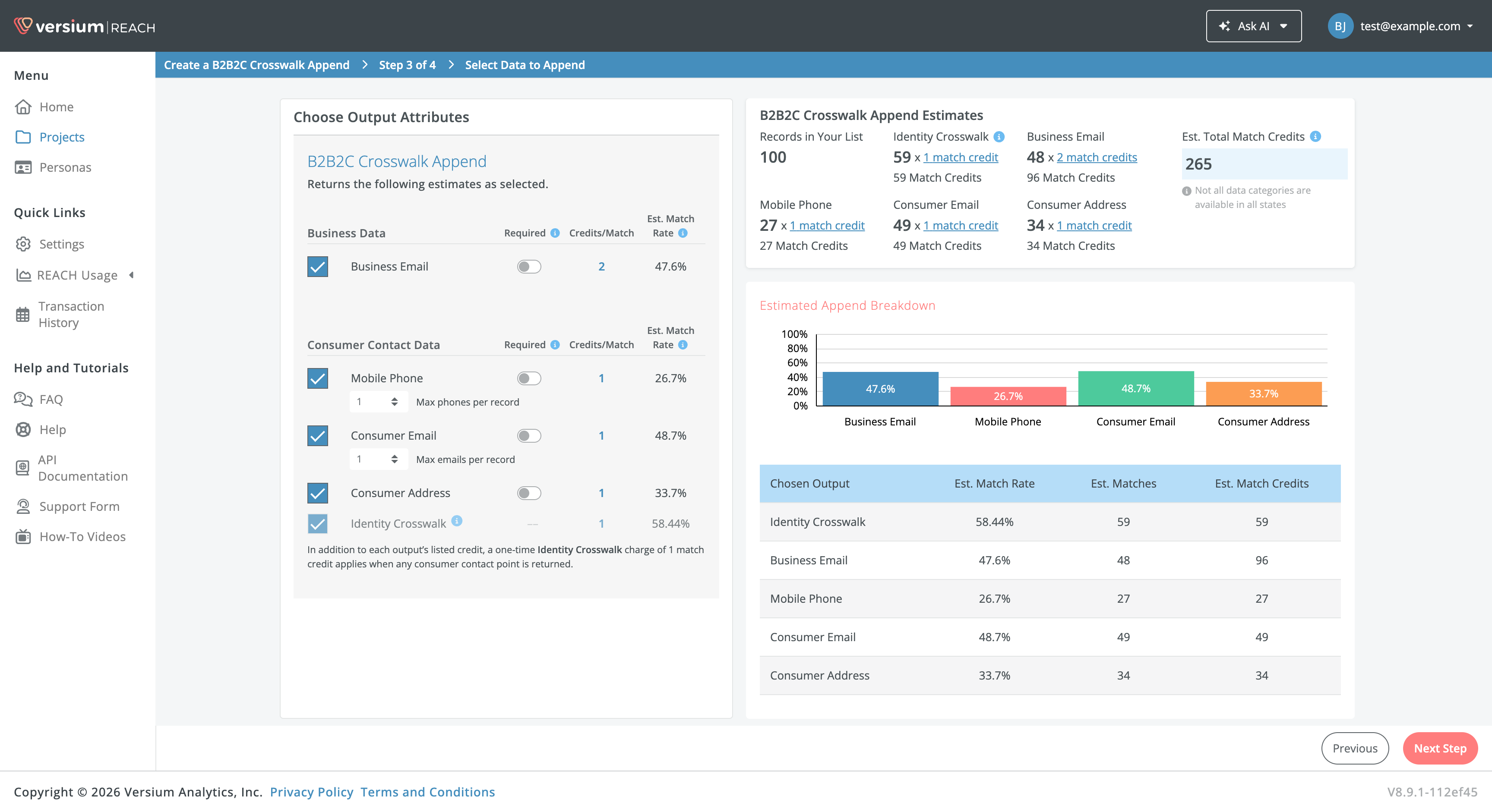
- Select the data you want to append. Outputs are grouped into Business Data and Consumer Contact Data. The Identity Crosswalk is included automatically with any consumer contact output. For Mobile Phone and Consumer Email, use the dropdown to append up to 1 or 2 per record. Optional: mark an output as Required to only receive records that contain that data. Click Next Step when you've made your selections.
- In addition to each output's listed credits, a one-time Identity Crosswalk charge of 1 match credit applies when any consumer contact point is returned.
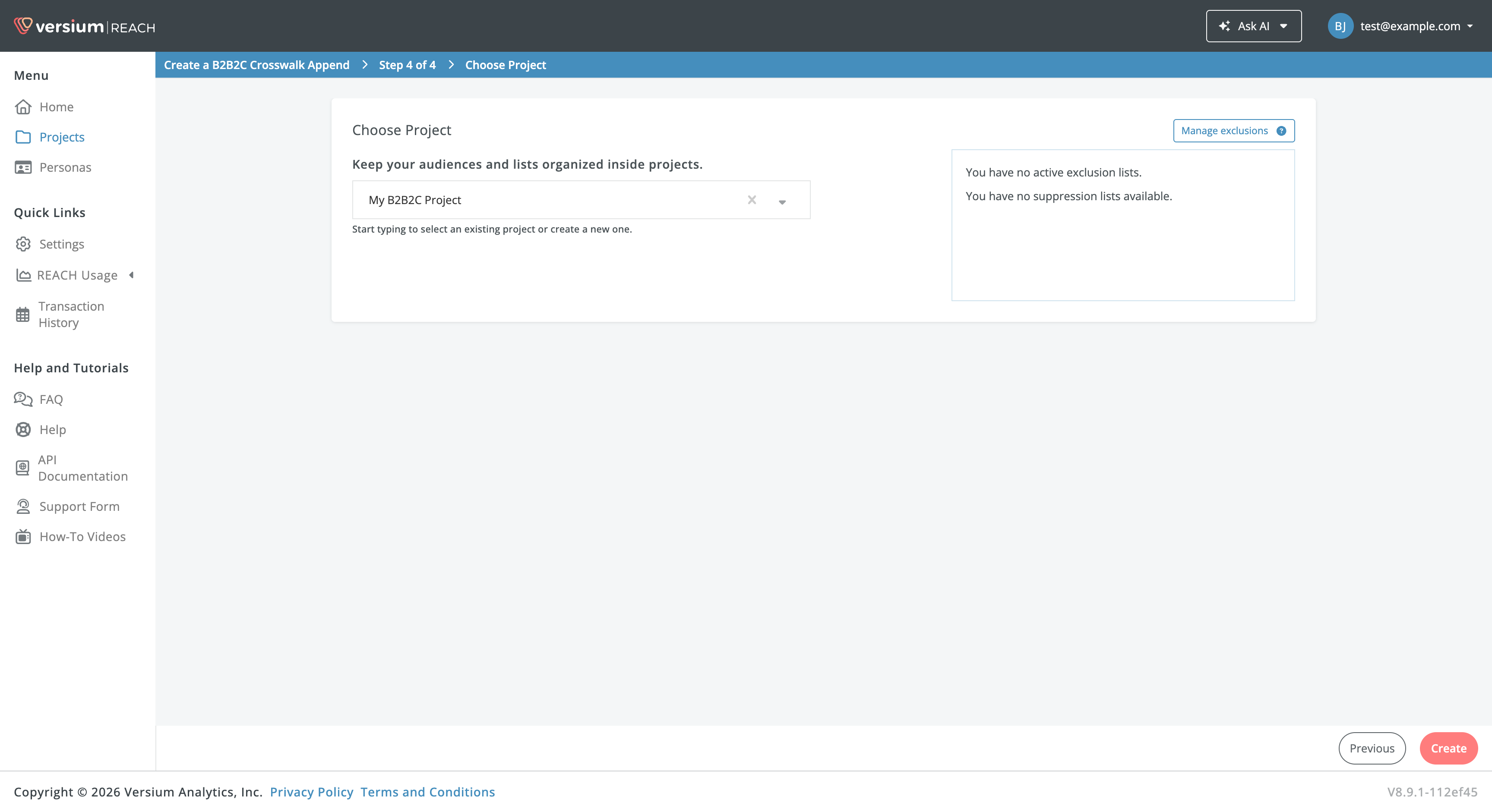
- Create or choose a project for your list, and click Create.
Versium REACH will start creating your appended list. You can leave this screen and come back later when your append is complete to see List Insights and export your list.
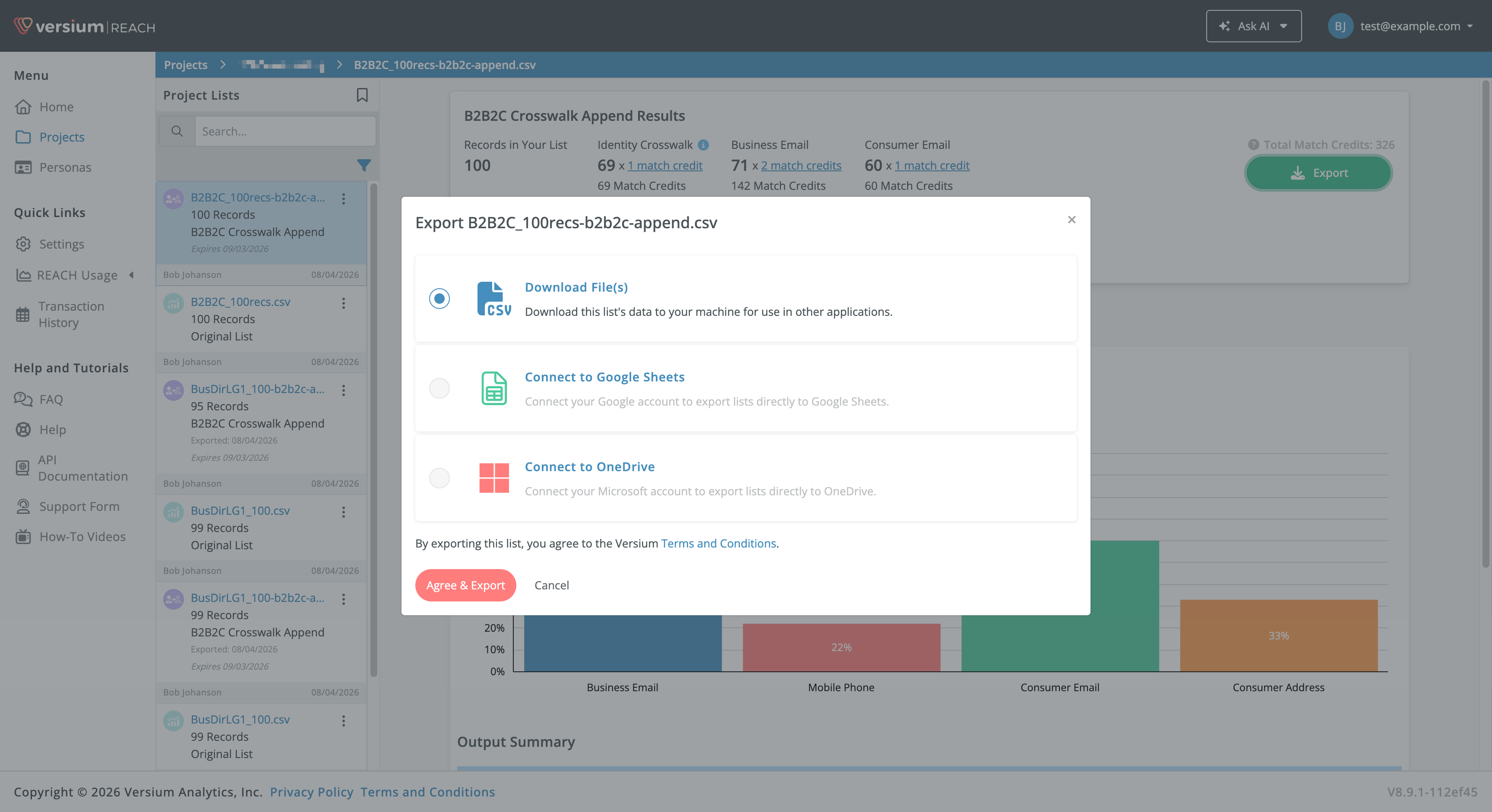
- To export your list or see List Insights, go to the project you saved it in, and select the list. Open the action menu to export the list as a .csv or click Export as CSV.
What can you do with a B2B2C Crosswalk Append?
After completing the B2B2C Crosswalk Append, your appended list can be used directly for your needs. If you wish, you can use Versium REACH to perform an Account Based List for additional attributes or an Online Audience Append to be used on social platforms (such as HubSpot, Facebook, LinkedIn, Google).
What's Next?
Updated about 1 month ago