
Export to LinkedIn Ads and Facebook Ads
Use this workflow when you want to create or update an ad audience from an eligible Reach list.
LinkedIn Ads and Facebook Ads export options are available only for lists that produce an Online Audience output.
Before you start
- Open a list that shows ad export options in the Export modal.
- Sign in to the LinkedIn or Facebook account you want to use for the export.
- Decide whether you want to Create New Audience or Add to Existing Audience if the export widget gives you that choice.
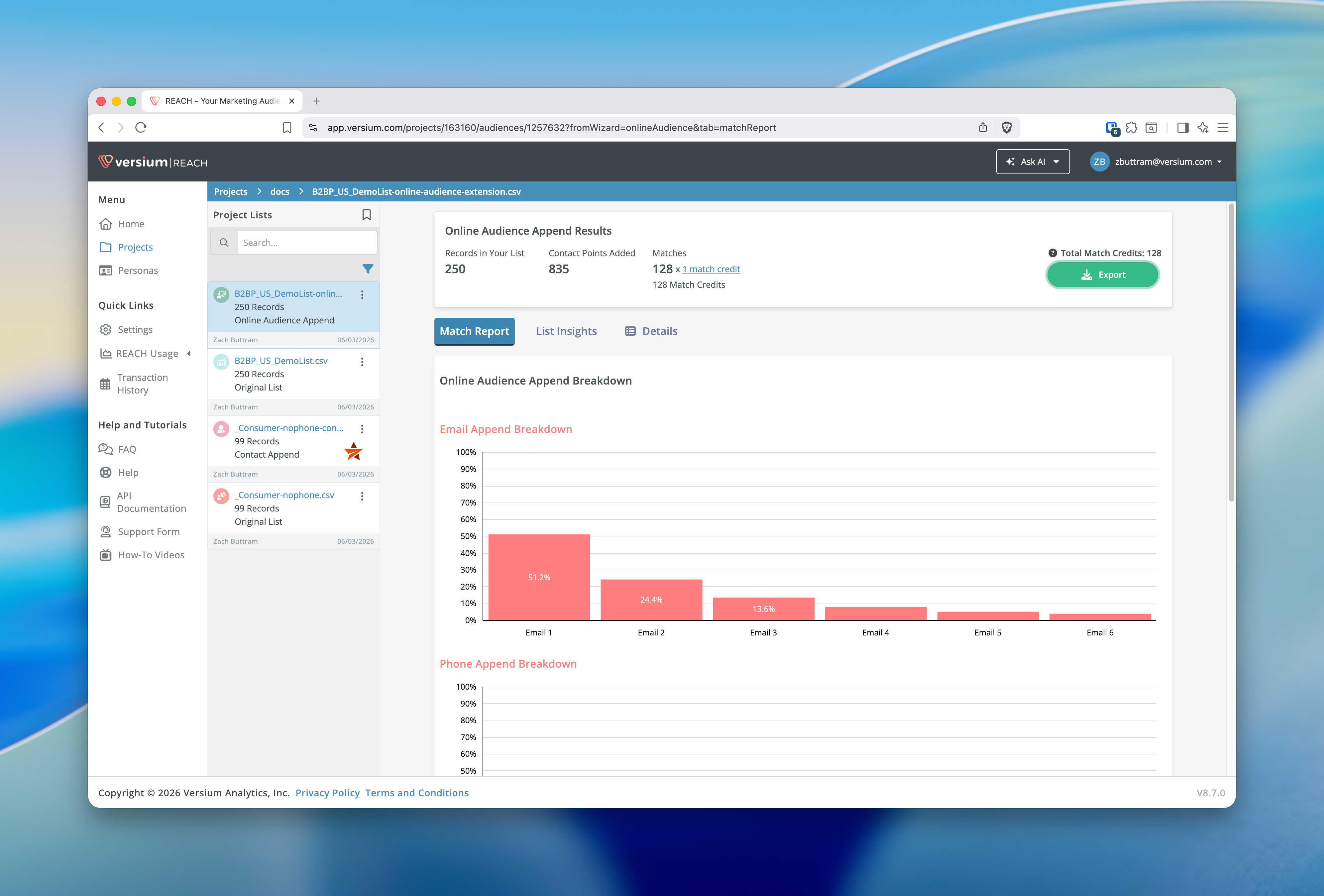
┃ Screenshot placeholder: Export button on a list that supports ad platform exports, so users can see the workflow entry point before opening the modal.
Export your list to LinkedIn Ads or Facebook Ads
- Open the eligible list you want to export.
- Click Export.
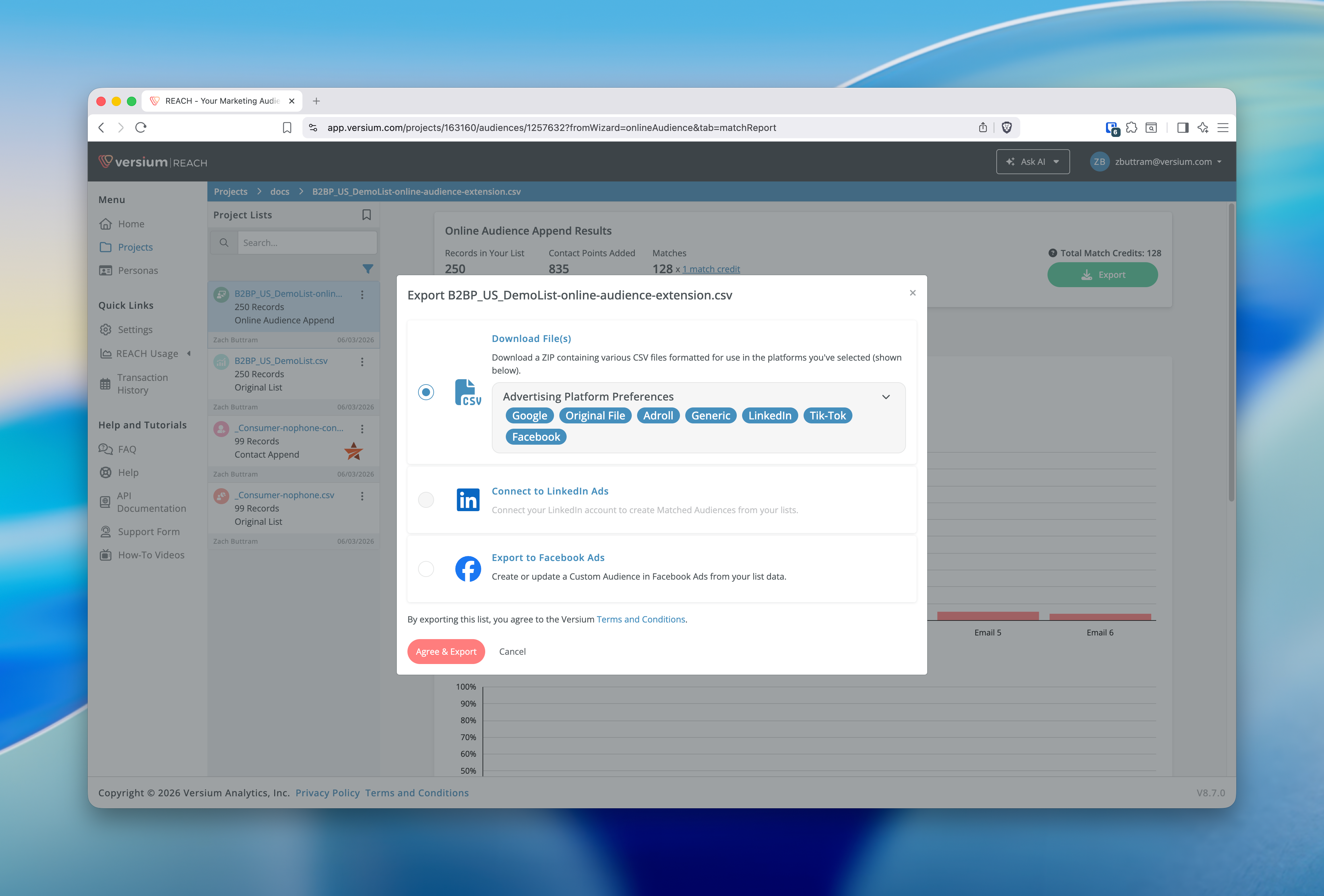
- In the modal, select Export to LinkedIn Ads or Export to Facebook Ads.
- If the option shows a connect state, connect the account from the modal before continuing.
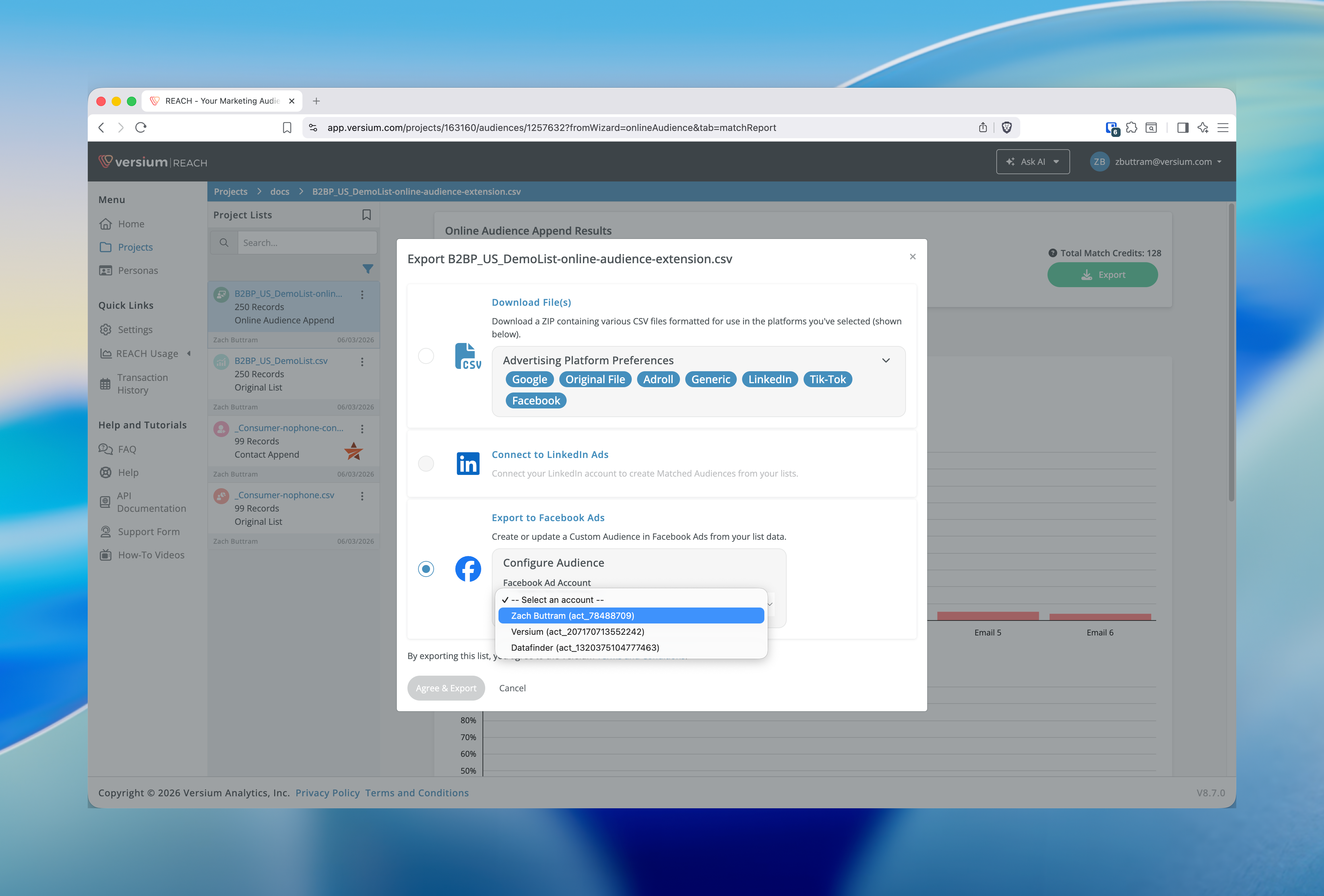
- Choose the ad account you want to use.
- If Reach shows both Create New Audience and Add to Existing Audience choices, either enter a new audience name or select the existing audience to add to.
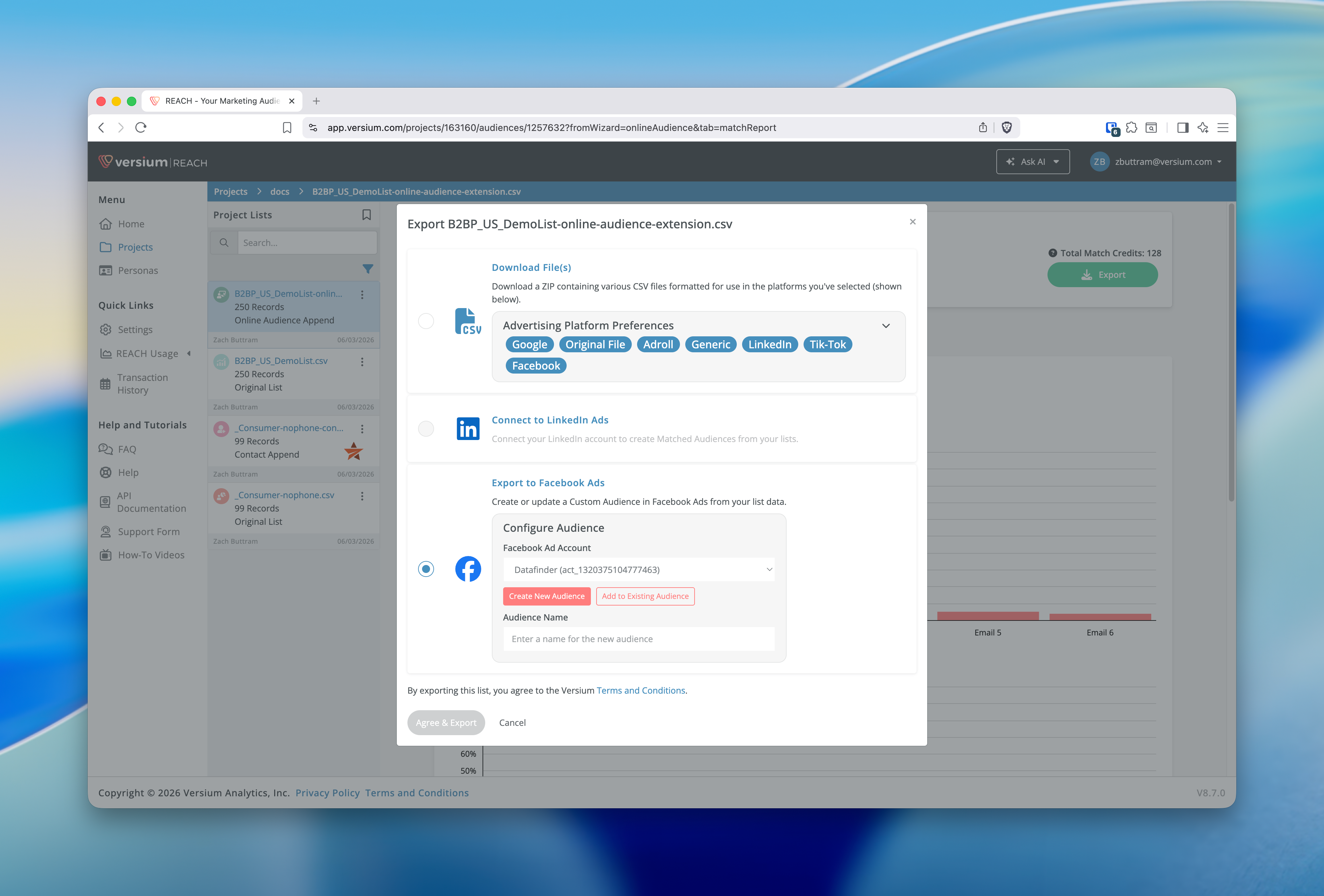
- Click Agree & Export.
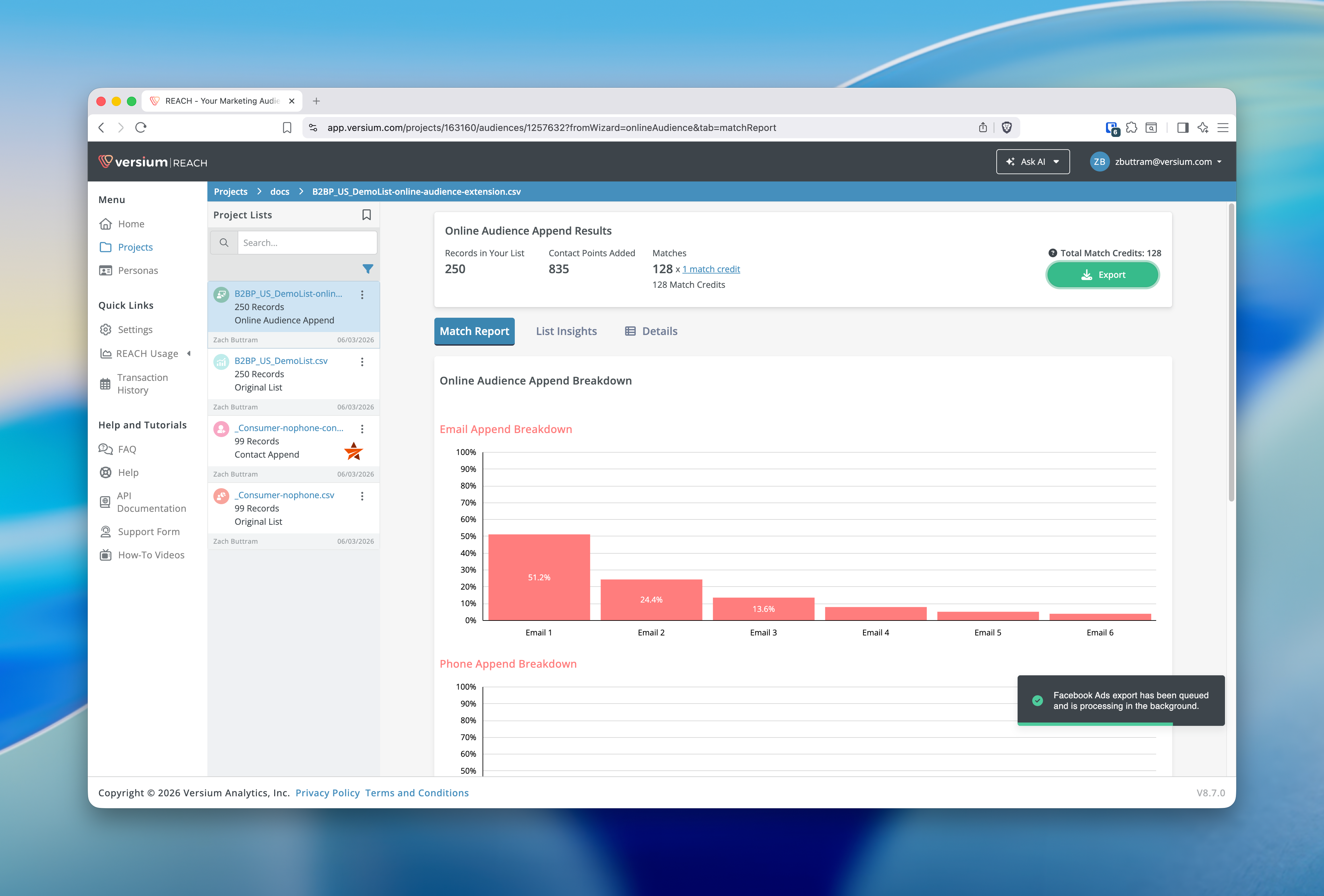
- Watch for the confirmation message that tells you the export has been queued and is processing in the background.
What happens next
Reach submits the export as a background process instead of finishing everything inside the modal. If you need to review processing details later, check Integrations → Audience Activity.
Troubleshooting
I do not see LinkedIn Ads or Facebook Ads in the Export modal
These options do not appear for every list. If the current list does not show them, use another export method or switch to a list that supports ad audience exports.
No ad accounts found
If the Export modal shows no ad accounts, click Connect in the modal to authorize the platform, or go to Integrations and open the LinkedIn Ads or Facebook Ads integration to connect your advertising account. Make sure you have the necessary advertising permissions, then return to the Export modal.
No existing audiences found for the selected account
If there are no existing audiences for the selected account, choose Create New Audience in the widget or create the audience directly in the ad platform and return. If you need to manage or reconnect integrations, visit Integrations and open the LinkedIn Ads or Facebook Ads integration.
I cannot finish the export after selecting the platform
Make sure you selected an ad account and completed any audience selection fields that appear in the widget. The Agree & Export button stays disabled until the required choices are filled in.
The export did not finish immediately
That is expected for LinkedIn Ads and Facebook Ads. Reach queues these exports and processes them in the background after you submit them.
Updated 4 months ago